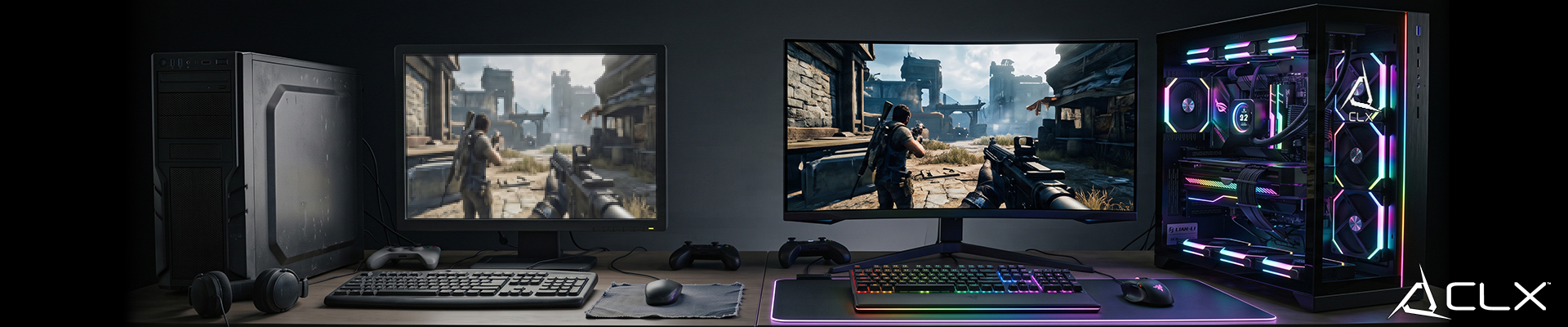
A game can run worse on a system with the same GPU as your friend's because of RAM speed, driver version, display settings, or background load, not just the graphics card. Identical spec sheets rarely mean identical results on screen.
This matters most for the builder who's priced out a parts list and expects two PCs with matching silicon to perform the same. They usually don't, and the reasons are specific enough to test.
Does VRAM capacity actually change how a game looks?
Yes, once a game's texture pool exceeds what the card holds, textures drop quality or the engine starts streaming from system memory, which stutters. A card like the NVIDIA RTX 5070 Ti handles 4K texture packs that a lower-VRAM sibling in the same family can't hold without compromise. Driver version matters too: a card running a driver six months old can lose frames or visual fixes a newer release shipped. Cooling solutions aren't cosmetic either. A card that throttles under sustained load loses clocks mid-session, and the frame drop reads as a worse-looking game even though the hardware is identical to a better-cooled unit.
Why does the same GPU perform differently on two CPUs?
Because the processor still gates the GPU's output. An AMD Ryzen 7 9800X3D paired with an NVIDIA RTX 5080 will post higher 1% lows in CPU-bound titles than a Ryzen 5 9600X paired with the same card, because physics calculations, AI pathing, and draw calls all run on the CPU first. If GPU usage sits below 100% during gameplay with no frame cap enabled, that's a CPU bottleneck, not a graphics problem, and a better GPU won't fix it. Cap off is step zero before diagnosing anything.
System RAM speed and capacity change the picture too. A 32GB kit running dual-channel loads textures and level data faster than a single stick running in single-channel mode, even at the same rated speed. Background processes, browser tabs, overlays, and capture software all eat into that same memory pool and shave frames off what the game actually gets.
Can a monitor make the same PC look better or worse?
Refresh rate and panel type change what a given frame rate feels like, and color calibration changes what it looks like. A 240Hz panel feeding off a card capable of hitting that ceiling reads as smoother than a 60Hz panel fed the exact same frame data, even with identical hardware behind it. Cable standard matters at the high end too. An older HDMI or DisplayPort cable can cap resolution or refresh rate below what the monitor and GPU both support, silently capping performance nobody diagnosed.
What settings changes make the biggest visual difference?
Shadows, anti-aliasing, and resolution scale carry the heaviest cost per frame in most modern engines, more than texture quality on a card with enough VRAM to spare. Storage speed plays a role too, an SSD cuts load times and prevents the texture pop-in that reads as a lower-quality build, where an HDD visibly streams assets in during gameplay. Operating system cleanliness and current drivers round this out: a system with background telemetry, outdated GPU drivers, or power-plan mismatches loses performance that has nothing to do with the parts list.
When we build and test at our Wichita shop, we run every config with cap off first, log GPU and CPU utilization separately, and only call a component the bottleneck once we've isolated it. We've pulled apart kits where the owner blamed the GPU and the fix was a single-channel RAM slot left empty. That's the difference between guessing and testing.
Two PCs with the same part numbers on paper can still perform differently once RAM channel config, driver version, display connection, and background load are accounted for. None of that shows up on a spec sheet unless someone tested it.
If you're speccing a build and want a config bench-tested before it ships, CLX's configurator lists current builds with full component breakdowns, not just a basic list.
FAQ
Does more VRAM always mean better visuals? No. Extra VRAM only helps once a game's texture pool exceeds what the card already holds; below that threshold, a card with less VRAM but a faster core can outperform a card with more VRAM and a weaker core.
Why does my frame rate drop even though GPU usage looks
low?
Is single-channel RAM a real problem for gaming? Yes. Running RAM in single-channel mode cuts effective memory bandwidth compared to dual-channel, which shows up as slower load times and occasional stutter even on fast-rated kits.