If you’ve ever peeked under the hood of your PC or laptop, chances are you’ve come across RAM. But what exactly is it, and why is it such a critical component? Whether you’re a gamer aiming for seamless 120+ FPS gameplay, a content creator using RAM-hungry rendering software, or someone who simply wants a smoother computing experience, understanding RAM is essential.
In this guide, we’ll break down everything you need to know about RAM—from its types and speeds to how much you really need and how to upgrade it. By the end of this article, you’ll know exactly how to optimize your system’s memory for the tasks that matter most to you.
What is RAM and Why it Matters?
RAM, or Random Access Memory, is your computer's short-term memory. While your hard drive or SSD stores long-term data, RAM temporarily holds the information and programs your computer is actively using. This allows your system to access essential data almost instantly, enabling faster performance for multitasking and resource-intensive applications.
Without enough RAM, even routine tasks like web browsing or opening apps can feel sluggish. And if you’re running software like video editing tools or modern AAA games, inadequate RAM will severely bottleneck your system, no matter how powerful your processor or GPU is.
Simply put, the more RAM you have (and the faster it is), the better your computer handles demanding workloads.
Types of RAM: DDR5, DDR4, and Older Generations
RAM has evolved over the years, with each generation offering improvements in speed, bandwidth, and efficiency. Here's a breakdown of the main types:
DDR5
The latest and greatest in RAM technology, DDR5 (Double Data Rate 5) provides higher speeds, better power efficiency, and significantly increased bandwidth compared to its predecessors. It’s ideal for gaming rigs and professional workstations. Speeds commonly start from 4800MHz, with some kits clocking at 6000MHz or more.
Key Benefits of DDR5:
- Twice the bandwidth of DDR4
- Reduced power consumption (1.1V compared to DDR4’s 1.2V)
- Advanced features like on-die ECC (Error Correcting Code) for more reliable performance
Best For: Gamers running demands from AAA titles and creators working with 4K/8K content.
DDR4
DDR4 is the most widely used RAM today and still offers excellent performance for most users. With speeds ranging from 2133MHz to 4400MHz, DDR4 strikes a great balance between performance and cost.
Key Benefits of DDR4:
- Affordable and widely available
- Mature and compatible with most existing systems
Best For: General use, budget gaming systems, and moderate workstation needs.
Older Generations (DDR3 and Below)
While older RAM types such as DDR3 are still in use for outdated or budget builds, their lower speeds (maxing out at around 2133MHz) and higher power consumption make them less ideal for modern workloads.
Key Takeaway:
If you’re building or upgrading a system, stick to RAM that aligns with your motherboard’s supported type. Backward compatibility between generations (e.g., DDR5 and DDR4) is not possible.
Speed and Latency: Understanding Timings
RAM performance is about more than just capacity. Speed and latency play a crucial role in determining how fast your system can process data.
Speed (Frequency)
Measured in megahertz (MHz), RAM speed indicates how many cycles per second the memory module can execute. Higher speeds mean faster data transfers. For example:
- DDR4 RAM at 3200MHz is common for mid-range builds.
- DDR5 kits push frequencies upwards of 6000MHz, delivering superior performance.
Latency (Timings)
Latency refers to the delay in RAM responding to a command. This is displayed as a series of numbers like '16-18-18-38'. The lower the numbers, the better the response time.
Balancing Speed and Latency
Faster RAM with lower latency is ideal, but it often comes at a premium. Gamers and enthusiasts should aim for a good balance, like DDR5-6000MHz CL36 or DDR4-3600MHz CL16, for optimal performance without breaking the bank.
How Much RAM Do You Need?
The amount of RAM you need largely depends on your use case. Here’s a quick guide:
- 8GB RAM: Suitable for basic tasks like web browsing, streaming, and light office work.
- 16GB RAM: Considered the sweet spot for gaming and general multitasking.
- 32GB RAM: Ideal for professionals working with video editing, 3D rendering, or heavy multitasking.
- 64GB+ RAM: Overkill for most, but necessary for enterprise workloads like machine learning or large dataset analysis.
Pro Tip: If you’re building a gaming PC and have to choose between faster RAM and more RAM, prioritize enough capacity first. Most modern games run smoothly on 16GB, while extra speed only makes a marginal difference for gaming.
Upgrading RAM: A Step-by-Step Guide
Upgrading your RAM is one of the simplest yet most impactful upgrades you can make to your system. Follow these steps to ensure a smooth installation:
Step 1: Check Compatibility
- Verify your motherboard’s supported RAM type (DDR5, DDR4, etc.) and capacity.
- Check maximum capacity per RAM slot. Some systems may only support up to 32GB per module.
Step 2: Choose Your RAM Kit
- Match sticks from the same kit to ensure compatibility and stable performance (dual-channel or quad-channel).
Step 3: Physically Install the RAM
- Power off your system and unplug it.
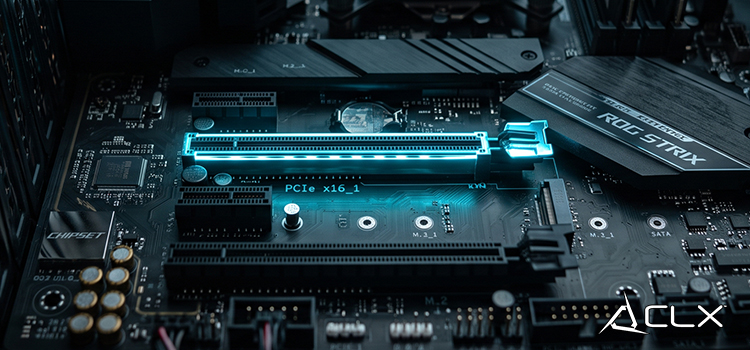
- Open your computer case and locate the RAM slots on the motherboard.
- Align the RAM module with the slot (use the notch as a guide) and firmly press it into place until you hear a click.
Step 4: Boot Up and Verify
- Turn your system on and confirm the new RAM is detected using software like CPU-Z or your BIOS settings.
Optimizing Your System's Memory
RAM is one of the most visible factors in your system’s performance, and understanding it can truly help you get the most out of your hardware. Whether you’re future-proofing your PC with DDR5 or looking to fine-tune your multitasking setup, paying attention to RAM’s type, speed, and capacity will yield significant performance gains.
Still unsure what’s the right pick for your needs? Explore our comprehensive hardware recommendations or consult with your local tech community for hands-on assistance.
About Us
CLXGaming is a PC builder based in Wichita, KS that builds prebuilt PCs, custom PCs and laptops for all of your gaming and creative needs. We work with any budget and offer flexible gaming PC financing.
If you would like more information about our PCs, please contact our customer support team at (855) 490-2569 or [email protected]. We pride ourselves on our excellent customer service and are happy to assist with your needs.