Pushing hardware past its factory limits used to be a rite of passage for serious PC gamers. You bought a mid-tier processor, spent hours tweaking the BIOS, and unlocked top-tier performance for a fraction of the cost. It was raw, hands-on, and incredibly rewarding. Pumping extra voltage into your CPU to hit that golden 5.0GHz mark gave you bragging rights and tangibly better frame rates.
But the hardware landscape has shifted drastically over the last few years. Silicon manufacturers are now squeezing nearly every drop of performance out of their chips before they even leave the factory. Processors dynamically scale their clock speeds based on thermal headroom, and graphics cards feature sophisticated auto-boosting algorithms.
This begs a critical question for builders and upgraders. Does manually tweaking multipliers and voltages still make sense, or are we chasing diminishing returns? If you want to maximize your rig's potential without frying your silicon, you need to understand exactly how overclocking fits into the current gaming ecosystem.
The raw advantages of pushing your silicon
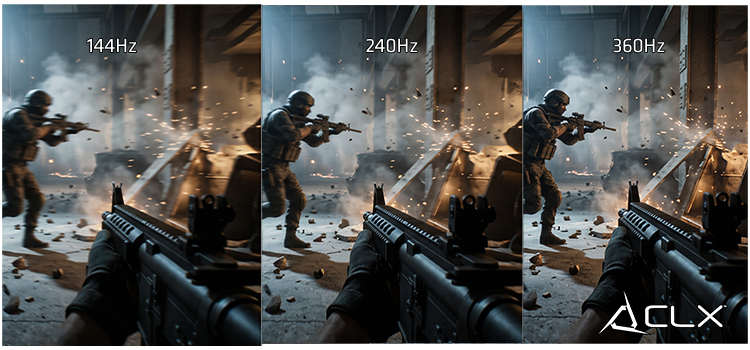
Overclocking still offers tangible benefits for users who know exactly what they are doing. The primary draw remains unchanged: free performance. By manually adjusting your CPU multiplier or pushing your GPU memory clocks, you can extract higher frame rates in demanding titles. This is particularly noticeable in CPU-bound scenarios, such as high-refresh-rate competitive shooters at 1080p, where every single megahertz translates to reduced input latency.
Cost-effectiveness is another major factor. If you are sitting on an older processor that struggles to keep up with modern graphics cards, a stable overclock can severely reduce bottlenecking. This effectively extends the lifespan of your current motherboard and CPU combo, allowing you to delay a costly platform upgrade for another generation or two. You get to maintain your competitive edge without draining your bank account.
The harsh realities of manual tuning
You cannot ignore the physical toll overclocking takes on your hardware. Pushing higher clock speeds requires more voltage, which generates significantly more heat. If your cooling solution cannot dissipate that thermal load, your system will experience thermal throttling. This completely negates the performance gains you worked so hard to achieve.
System instability is the bane of any manual overclock. A configuration might survive a synthetic benchmark but crash entirely during a heavy gaming session, resulting in lost ranked matches and corrupted save files. Furthermore, consistently running hardware beyond its rated specifications accelerates silicon degradation. You risk reducing the lifespan of your components. Finally, unless you have explicit coverage, manual overclocking generally voids your manufacturer warranty. If you fry a flagship processor, you cover the replacement cost out of pocket.
Hardware trends and AI optimization in 2026
The definition of overclocking has evolved. Modern processors from AMD and Intel are engineered to boost aggressively out of the box, riding the thermal limit right up to 95 degrees Celsius. They automatically extract maximum performance based on your cooler's capacity.
Artificial intelligence now plays a massive role in system optimization. Motherboard manufacturers integrate AI-driven overclocking utilities that analyze your specific silicon quality and cooling potential in real-time. Instead of spending days running stress tests to find the perfect voltage curve, these algorithms dynamically adjust parameters on the fly. They provide 90% of the performance gains of a manual tune with absolute stability. Hardware is smarter, adapting to your specific workloads instantly.
Is manual tweaking worth your time?
The value of overclocking heavily depends on how you interact with your PC. Here is how it breaks down for different types of users.
The hardcore enthusiast
If you run a custom liquid cooling loop and chase benchmark world records, manual overclocking is still highly relevant. You have the thermal headroom to push past the conservative limits set by auto-boosting algorithms. For you, extracting that final 5% of performance is a hobby in itself.
The competitive gamer
If your priority is climbing the ranked ladder in games like Valorant or Counter-Strike, you are better off relying on AI-optimized boosting. Stability is far more important than a minor bump in peak frame rates. A single blue screen during a tournament is catastrophic. Let the motherboard handle the voltage while you focus on your aim.
The budget upgrader
If you are trying to squeeze one more year out of an aging processor, a modest manual overclock is highly recommended. It provides a noticeable uplift in minimum frame rates, smoothing out gameplay in modern, unoptimized titles without requiring a massive hardware investment.
The final verdict on pushing your rig
Manual overclocking is no longer the mandatory practice it was a decade ago. Hardware manufacturers have essentially automated the process, utilizing AI to maximize performance right out of the box. Unless you are a dedicated enthusiast with extreme cooling hardware, the risks of manual voltage tuning generally outweigh the single-digit percentage gains in frame rates.
For the vast majority of gamers in 2026, the smartest move is to invest in a premium cooling solution and let your hardware's dynamic boosting algorithms do the heavy lifting. You get maximum performance, rock-solid stability, and peace of mind.
Ready to unleash your system's true potential? Upgrade your thermal limits today. Browse our latest selection of high-performance AIO liquid coolers and keep your silicon running at peak speeds.