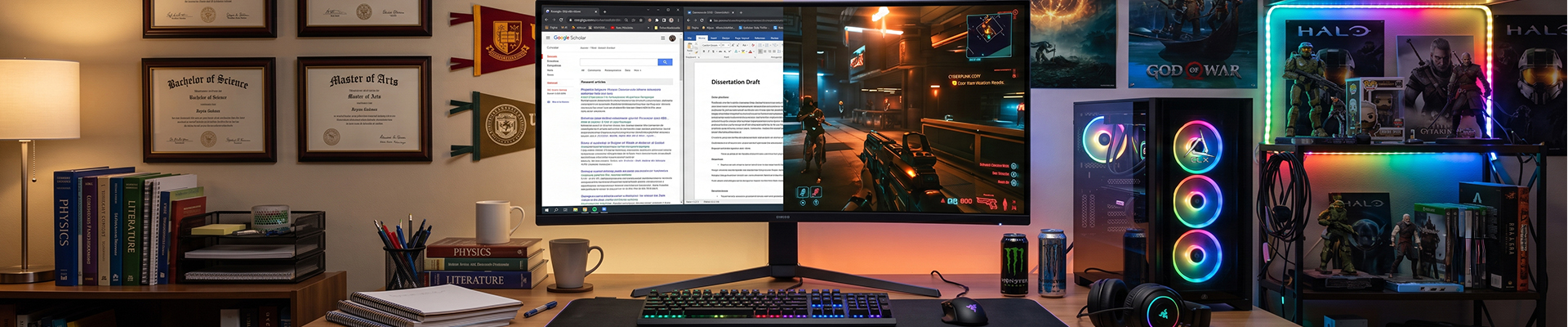
Many people asking this question are staring at a budget and wondering if they have to choose. You don't. But 'one PC for everything' only works if the hardware is spec'd right and the machine is managed well. Half-measures create real problems.
Here's what actually matters.
What Does Each Use Case Demand From Your Hardware?
Gaming is the most demanding workload of the three. It needs CPU headroom, GPU horsepower, and consistent cooling. School and work are much lighter. Productivity apps, video calls, browser tabs, and document editors barely stress a modern processor. The real challenge is context-switching: going from a 60-minute work session straight into a gaming session without rebooting or waiting on the system to catch up.
A mid-to-high-range processor with a dedicated graphics card handles this without drama. Integrated graphics don't cut it if you're gaming seriously.
How Much RAM and Storage Do You Actually Need?
Sixteen gigabytes of RAM is a solid recommendation. At 16GB, you can run a game, keep a browser open in the background, and have a collaboration tool loaded without hitting your ceiling. Drop below that and you'll feel it.
For storage, a solid-state drive changes the daily experience more than most people expect. Boot times, app load times, and file access all tighten up. If you're managing game installs, school files, and work projects on the same drive, capacity matters too. Plan for at least a terabyte. Use a second drive or external storage to archive older projects and game installs you aren't actively using.
How to Set Up the Machine So It Doesn't Turn Into a Mess
Here's what actually breaks a multi-use PC: clutter. Mixing game files, school documents, and work projects into the same folders makes it harder to manage and easier to lose things.
Set up separate folders. Better yet, create separate user profiles for work and personal use if your OS supports it. This keeps your browser extensions, desktop shortcuts, and file structure clean without needing two machines.
Close background apps when you switch contexts. Gaming with Teams running in the background, or working with a game launcher pulling updates, eats into your headroom. It takes ten seconds to close what you don't need.
Keep your drivers updated. A system running mismatched GPU drivers and outdated software is asking for stability issues. Set a monthly reminder to check. It's not glamorous, but it's what separates a system that runs clean for three years from one that starts acting weird at month four.
The Simple Takeaway
A single PC handles gaming, school, and work in 2026 without drama. The hardware requirements overlap more than they conflict. The bigger variable is how the machine is managed day to day, not what's in it.
If your current setup is falling short, the bottleneck is probably RAM, storage, or heat, not the concept of using one machine for multiple things.
Browse current pre-built configurations to see what a balanced setup looks like at different price points.