Building and buying gaming PCs aren't the same decision they were a few years ago. Prebuilt options have gotten better. Component prices have shifted. And the gap between 'good prebuilt' and 'mediocre custom' has closed in some price brackets and widened in others. So, before you pull the trigger either way, here's what actually matters.
What are prebuilt and custom gaming PCs?
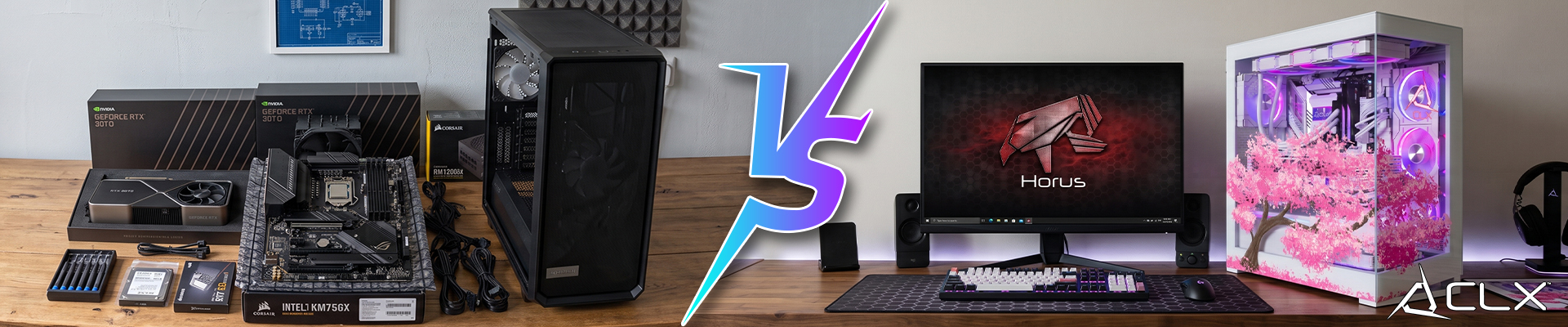
A prebuilt gaming PC is assembled by a manufacturer, tested, boxed, and shipped to you ready to run. Companies like CLX build these at scale.
A custom PC is one you configure yourself, by picking every component and building it yourself.
Both can run the same games at the same settings if they have the same specs. The differences show up in cost, flexibility, and what happens when something goes wrong.
Prebuilt Gaming PCs: What you get and what you give up
The main advantage of a prebuilt is time. You order it, it arrives, you plug it in. No compatibility research, no cable management headaches, no POST failures at midnight.
prebuilds also come with a unified warranty. One support line covers the whole machine. That matters if you're not confident diagnosing a faulty stick of RAM versus a failing PSU.
The tradeoffs are real, though. Prebuilds at retail price points carry a margin that custom builds built at home don't. You're paying for the assembly, the warranty infrastructure, and in some cases, the brand name on the side panel.
Customization is limited at purchase and can be harder post-sale. Swapping a GPU in some prebuilds that use proprietary mounting or non-standard power routing can be more complicated than it sounds.
Custom Gaming PCs: More control, more responsibility
A custom build lets you spec exactly what you want. Pairing a Ryzen 9 9950X3D2 with a GeForce RTX 5090 on a B850 board? You can do that. Prioritizing VRAM for a specific workload over raw clock speed? Also your call.
What you give up is time and certainty. You’re responsible for compatibility, BIOS updates, cable routing, thermal validation, and troubleshooting when something doesn’t POST. There is no single support number that owns the whole system. If a part fails under warranty, you’re dealing with the individual manufacturer, not the company that sold you the finished PC. Done well, a custom build can be excellent. Done poorly, it can cost more time and money than a good prebuilt ever would.
The Factors to Keep in Mind:
Budget: Custom builds can theoretically stretch dollars further above a price point, at the risk of losing money to hardware issues.
Technical comfort: If you've never seated a CPU cooler or run a BIOS update, a prebuilt removes those risks entirely.
Support needs: One warranty covering the whole machine is genuinely useful if you don't want to troubleshoot component-by-component.
Component control: If specific hardware matters to you, like a particular GPU for a creative workflow or a high-core-count CPU for streaming while gaming, custom might be the only way to guarantee what's in your build.
Which one should you choose?
Go prebuilt if you want to game immediately, prefer a single support contact, and aren't interested in the build process.
Go custom if you want to control what goes into the machine, care about cost-per-frame, or have a specific workload that needs a specific component mix.
Ready to spec a prebuilt PC with CLX?
Browse CLX's custom configurator to see exactly what a build at your budget can do: clxgaming.com/gaming-pc