PCIe, short for PCI Express, is the connection standard that lets your graphics card, storage drive, and other components talk to your motherboard at high speed. It matters because the PCIe generation and lane count in your system set a hard ceiling on how fast your GPU and SSD can actually perform, no matter how good the parts themselves are.
This post covers what PCIe actually does, the real differences between generations, where it matters most (graphics cards, NVMe SSDs, network adapters, AI accelerators), and how to pick the right generation for what you're building instead of just chasing the newest number.
What Is PCIe?
PCI Express replaced the older PCI and AGP standards starting in the early 2000s. Where those older standards used a shared parallel bus, PCIe uses point-to-point serial connections called lanes, and it scales by adding more lanes rather than widening a shared one. That's the core shift: more lanes means more simultaneous bandwidth, not a wider single pipe.
A common misconception is that PCIe is the same thing as USB or SATA. It isn't. SATA connects storage drives at a much lower bandwidth ceiling and was never designed for GPUs. USB is an external, hot-swappable connection for peripherals. PCIe is the internal, direct-to-motherboard connection built for the components that need the most bandwidth: graphics cards, NVMe SSDs, network cards, and add-in accelerators.
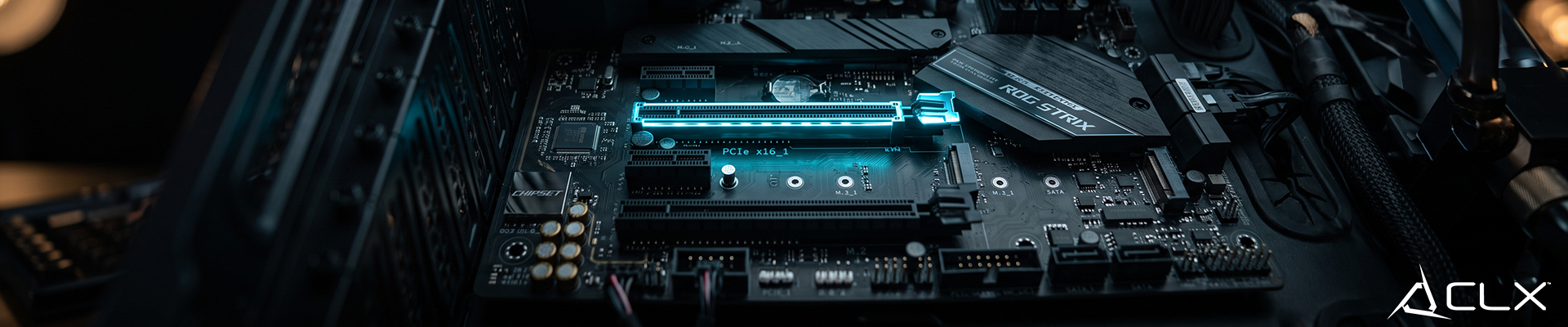
Every PCIe device connects through a slot with a specific number of lanes, written as x1, x4, x8, or x16. A graphics card typically runs in a x16 slot. An NVMe SSD typically runs on x4. The lane count and the generation together determine total bandwidth for that device.
What Are the Key Benefits of PCIe?
Speed. Each new PCIe generation roughly doubles the bandwidth per lane over the previous one. That's why a PCIe 4.0 NVMe SSD can move data meaningfully faster than a PCIe 3.0 drive of similar capacity, and why modern GPUs need the added bandwidth PCIe 4.0 and 5.0 provide, especially at high resolutions with fast frame rates.
Scalability. PCIe isn't one fixed connection. It scales from a single lane for a small accessory card up to sixteen lanes for a flagship GPU, all using the same underlying standard. That's what lets one motherboard support a graphics card, an NVMe SSD, a Wi-Fi card, and a capture card at once, each getting the lane allocation it needs.
Backward compatibility. A PCIe 5.0 motherboard slot will still run a PCIe 3.0 card. It just runs at the older generation's speed ceiling for that device. This matters when you're upgrading a GPU or SSD without replacing the whole board, though you won't see the newer generation's benefit until the rest of your system supports it too.
Lower latency, better efficiency. PCIe's point-to-point design also cuts down on the signal contention that older shared-bus standards dealt with, and newer generations have brought power efficiency improvements alongside the speed gains.
What Are the Differences Between PCIe Generations?
PCIe 3.0, 4.0, and 5.0 are the generations you'll run into on current desktop builds.
- PCIe 3.0 tops out at roughly 1 GB/s per lane. It's still common on budget boards and older systems, and it's plenty for a lot of storage and networking use cases.
- PCIe 4.0 roughly doubles that to around 2 GB/s per lane. This is the generation that made a real difference for NVMe SSD sequential speeds and started mattering for flagship GPUs.
- PCIe 5.0 doubles it again to around 4 GB/s per lane. Current flagship GPUs and the fastest NVMe drives are built to take advantage of it, though not every current GPU saturates a full PCIe 5.0 x16 link yet.
Lane configuration matters as much as generation. A GPU running in a x16 slot but only wired for x8 lanes on the board (common on some budget chipsets) won't get the full bandwidth the generation allows, even if the slot is labeled the right generation. This is the kind of detail that doesn't show up on a spec sheet and is exactly why we bench every configuration before it ships instead of trusting the label.
What Are the Most Common Uses for PCIe?
Graphics cards. This is the most visible use case. Current flagship and midrange GPUs rely on PCIe x16 slots for the bandwidth needed at high resolutions and high frame rates.
Storage. NVMe SSDs run directly on PCIe lanes instead of the older SATA interface, which is why they're dramatically faster for both sequential transfers and random access. This is where the jump from PCIe 3.0 to 4.0 to 5.0 has been most noticeable for everyday users, since load times and file transfers scale directly with lane bandwidth.
Network adapters. High-speed networking cards, including 10-gigabit Ethernet and Wi-Fi 6E/7 cards, use PCIe to move data at speeds a motherboard's built-in networking sometimes can't match.
AI accelerators. Specialized compute cards for local AI workloads lean heavily on PCIe bandwidth and lane count, particularly when moving large models or datasets between system memory and the accelerator.
How Do You Choose the Right PCIe Generation for Your Build?
Match the generation to what you're actually running, not to the newest number available. If you're building around a current flagship GPU, you want a board with full PCIe 5.0 or at minimum full-bandwidth PCIe 4.0 x16 for that card. If you're prioritizing storage speed, a PCIe 4.0 or 5.0 NVMe slot on the motherboard matters more than the generation of your GPU slot.
Future-proofing is a real consideration, but it has limits. Buying a PCIe 5.0 board today for a PCIe 4.0 GPU doesn't get you anything until you upgrade the GPU later, and by then the board's other specs may be dated anyway. It's usually smarter to match your current parts and revisit the platform on your next full upgrade rather than paying up front for headroom you won't use yet.
Compatibility is the part that trips people up. Always check that a motherboard's x16 slot is actually wired for x16 lanes at the generation you expect, not just labeled that size. Budget and midrange boards sometimes drop to x8 lanes or a lower generation on secondary slots, which matters if you're running both a GPU and a PCIe-based NVMe drive at the same time.
RAM configuration plays into this too. Current flagship platforms like AM5 and LGA1851 are DDR5-only, and if you're building around a memory-hungry workload alongside a fast PCIe setup, plan your RAM capacity and channel configuration (dual-channel, matched kit) at the same time you're planning your PCIe generation, since the memory market is tight right now and that affects total build cost as much as the motherboard choice does.
PCIe Matters More Than the Spec Sheet Lets On
PCIe generation and lane configuration decide how much of your GPU or SSD's real performance you actually get to use. A spec sheet will tell you a board 'supports PCIe 5.0.' It won't tell you whether every slot gets full bandwidth, or whether a secondary device is quietly stealing lanes from your GPU. That's the difference between a number on a page and a number we've actually run.
Check our custom PC build options to find the right specs for you!