Your PC has two main processors. Most people know they need both, but don't really know what each one does. That gap matters when you're buying a new machine or figuring out why your games run the way they do.
What does a CPU actually do?
CPU stands for Central Processing Unit. Think of it as the brain of your PC. It handles the logic: running your operating system, loading apps, processing inputs, managing background tasks. It works through instructions one at a time (or a few at a time across multiple cores), but it handles complex decisions quickly.
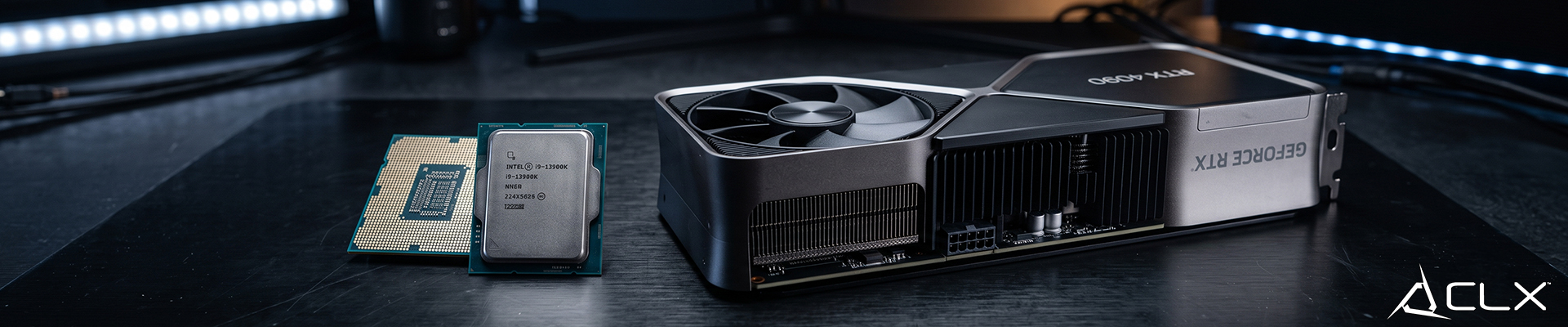
A modern CPU like the AMD Ryzen 9 9950X has 16 cores and 32 threads. That's a lot of parallel muscle for productivity work. But for gaming, you rarely need that many cores. What games typically want is fast single-core performance, and that's where AMD's X3D chips (like the Ryzen 9 9950X3D) have made a real difference thanks to their extra 3D V-Cache.
CPUs are essential. Without one, nothing runs. But raw CPU power has diminishing returns for gaming once you're past a certain threshold.
What does a GPU actually do?
GPU stands for Graphics Processing Unit. Where a CPU has a handful of powerful cores, a GPU has thousands of smaller ones built to do the same type of math over and over, all at the same time.
That parallel structure is what makes GPUs so good at rendering frames. Drawing a game scene means calculating the color and position of millions of pixels per frame, 60 or more times per second. A GPU like the NVIDIA RTX 5080 handles it without breaking a sweat.
Beyond gaming, that same parallel processing is what makes GPUs useful for video editing, 3D rendering, and AI workloads. The hardware is doing the same thing. The software is just applying it differently.
What's the real difference for gaming performance?
The CPU sets the pace. The GPU does the rendering. When both are matched well, your frames are smooth and consistent. When they're mismatched, one ends up waiting on the other.
Here's the practical split:
- CPU-heavy tasks: running your OS, browser, streaming software, game logic and physics, AI behavior in game
- GPU-heavy tasks: frame rendering, resolution scaling, ray tracing, anything on your screen
For 1080p gaming, a faster CPU matters more because the GPU finishes frames quickly and often ends up waiting. At 4K, the GPU is doing a lot more work per frame, so it becomes the bottleneck instead.
That's why build recommendations change based on resolution. It's not a one-size answer.
Do you need to prioritize one over the other?
For gaming: GPU first, then CPU. At 1440p and 4K, this is especially true.
For productivity (video editing, 3D rendering, streaming): both matter, and you'll want a CPU with strong multi-core performance alongside a capable GPU.
For general use and office work: a mid-range CPU is enough. A dedicated GPU is optional.
Frequently asked questions
Does upgrading my CPU improve gaming performance?
It depends on your current setup. If your CPU is several generations old or running at very high usage during gameplay (check Task Manager with frame cap off), an upgrade can help. Otherwise, the GPU is usually the better investment for gaming.
Can a GPU replace a CPU?
No. They do different jobs. A GPU can't run your operating system or general software. Both components are required.
Which should I upgrade first?
For gaming, upgrade the GPU first. If frame rates don't improve much after that, look at the CPU next.
If you're not sure how to balance a build for your needs and budget, the CLX pre-built options come with ready to go configurations.