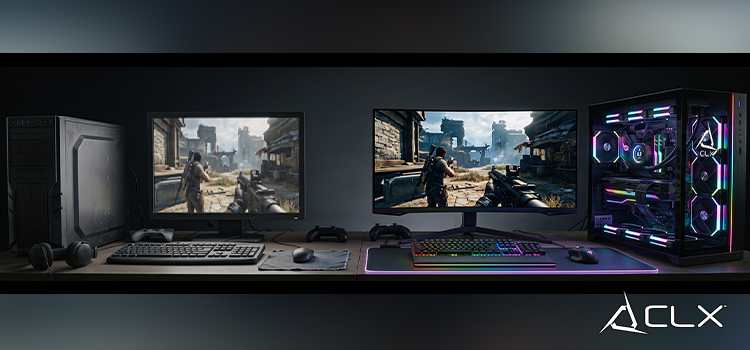
Consoles have their place, but true gaming supremacy belongs to the personal computer. Higher framerates, ultrawide resolutions, and total control over your hardware make PC gaming the definitive way to play. Upgrading to a PC means you dictate the performance. You choose the components. You unlock the ability to mod your favorite titles and push graphical fidelity far beyond the limits of standard living room boxes.
Transitioning from locked hardware to a fully customizable ecosystem requires a solid plan. Making the jump can seem intimidating due to the sheer volume of choices, but understanding the fundamentals puts you entirely in control. This guide breaks down exactly what you need to know to assemble your setup, maximize your budget, and dominate your games.
Set a Strategic Budget
Your budget dictates your performance tier. Unlike consoles, PC gaming scales directly with the amount of capital you invest.
Entry-level builds prioritize high frame rates at 1080p resolution. You can achieve excellent performance on competitive shooters and multiplayer titles without draining your bank account. Mid-range budgets open the door to 1440p gaming, allowing for higher graphical presets and smoother performance in demanding single-player games. High-end builds target 4K resolution, extreme framerates, and maximum settings with ray tracing enabled.
Determine what resolution and framerate you want to target first. That decision will drive every other hardware choice you make.
Understand Your Core Components
You cannot build a high-performance machine without understanding what drives it. Every component relies on the others, and a weak link will bottleneck your entire system.
Central Processing Unit (CPU)
The CPU calculates the physics, AI, and underlying logic of your games. Modern gaming requires a robust processor with strong single-core performance and multiple threads. AMD Ryzen and Intel Core processors dominate the market. Look for current-generation chips to ensure your system does not bottleneck your graphics card.
Graphics Processing Unit (GPU)
Your GPU does the heavy lifting for rendering environments, textures, and lighting. This is the most critical component for gaming performance and should take up the largest portion of your budget. NVIDIA GeForce and AMD Radeon cards offer varying tiers of performance. Pay attention to VRAM (Video RAM) capacities, as modern games require significant memory to load high-resolution textures.
Random Access Memory (RAM)
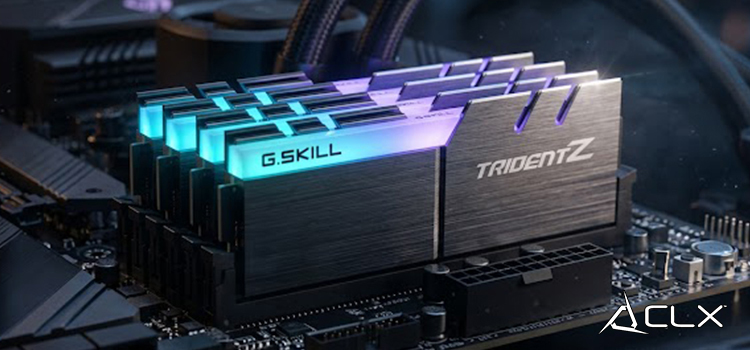
RAM provides the short-term memory your CPU uses to access game assets instantly. For a modern gaming PC, 16GB of high-speed DDR4 or DDR5 RAM is the absolute minimum, though 32GB is rapidly becoming the standard for demanding titles and multitasking.
Storage Solutions
Mechanical hard drives are obsolete for gaming. You need a Solid State Drive (SSD). Specifically, NVMe M.2 SSDs plug directly into your motherboard and deliver read/write speeds that drastically reduce load times and eliminate texture pop-in.
Build vs. Pre-built Systems
You have two paths to obtaining your rig: building it yourself or buying a pre-built system.
Assembling your own PC maximizes your budget. Every dollar goes directly toward hardware performance rather than assembly fees. Building also gives you intimate knowledge of your system, making future upgrades and troubleshooting significantly easier.
Pre-built systems offer convenience and a single system-wide warranty. If a component fails, you send the entire rig back to the manufacturer instead of diagnosing the issue yourself. However, manufacturers often cut costs on less visible components like the power supply or motherboard. If you choose a pre-built route, scrutinize the spec sheet closely to ensure you are getting quality parts across the board.
Invest in Essential Peripherals
A powerful PC means nothing if your peripherals cannot keep up. Your monitor, keyboard, and mouse directly impact your reaction times and immersion.
Monitors: Look for a high refresh rate. A 144Hz or 240Hz monitor displays images far faster than a standard 60Hz screen, providing a massive competitive advantage in fast-paced games. Ensure the monitor supports variable refresh rate technology like NVIDIA G-Sync or AMD FreeSync to eliminate screen tearing.
Mechanical Keyboards: Membrane keyboards feel mushy and lack precision. Mechanical keyboards use individual switches for each key, providing tactile feedback and lightning-fast actuation.
Gaming Mice: Precision is everything. Choose a lightweight gaming mouse with an accurate optical sensor, adjustable DPI (Dots Per Inch) settings, and programmable side buttons.
Navigate Digital Storefronts
PC gaming is entirely digital. You will buy, download, and launch your games through dedicated software clients.
Steam is the undisputed king of digital storefronts, offering the largest library, robust community features, and massive seasonal sales. The Epic Games Store aggressively competes by offering free games every week and securing exclusive titles. PC Game Pass operates as a subscription service, granting you instant access to hundreds of high-quality games for a flat monthly fee. Download all three to maximize your access to different titles and deals.
Maintain and Upgrade Your Hardware
PC hardware generates heat, and heat degrades performance. Maintaining your system ensures longevity and consistent framerates.
Keep your PC off the carpet to prevent dust buildup and power supply suffocation. Clean your dust filters monthly and use compressed air to clear out the internal fans and heat sinks. Good airflow keeps your components cool, allowing them to hit their maximum boost clock speeds.
Future-proofing your system involves buying a quality power supply and a motherboard with a modern socket. When your framerates eventually drop in future titles, you can simply swap out the GPU or add more RAM instead of buying an entirely new computer.
Power Up and Join the Community
PC gaming offers an unmatched level of control, performance, and community. By selecting the right hardware, optimizing your peripherals, and keeping your system maintained, you guarantee an elite gaming experience for years to come.
Stop settling for subpar framerates. Consider customizing a build with CLX, join the PC gaming community, and build the exact machine you need to dominate your backlog.