Total {{kit.components.memory.specs.capacity * kit.components.memory.qty}}GB - ({{kit.components.memory.qty}} x {{kit.components.memory.name}}) {{kit.components.memory.promo.text_a}}
CLX's workshop for crafting the elite, superior details defining the legendary CLX gaming systems. Refined customizations with bleeding-edge technology
CLX Quench: CPU Liquid Cooler Solutions: 120, 240, 360
CLX Forge: Professional CPU and GPU Overclocking Service
CLX Fluxx: Market Best Thermal Compound Application
CLX Temper: Custom Liquid Cooling Loops, soft and hardline
Get {{displayCurrency()}}{{displayNicePrice(100)[0]}}OFF Any Order over {{displayCurrency()}}{{displayNicePrice(1999)[0]}} with discount code BK2SCHOOLExpires in00:00:00
Get {{displayCurrency()}}{{displayNicePrice(200)[0]}}OFF Any Order over {{displayCurrency()}}{{displayNicePrice(3499)[0]}} with discount code BK2SCHOOLExpires in00:00:00
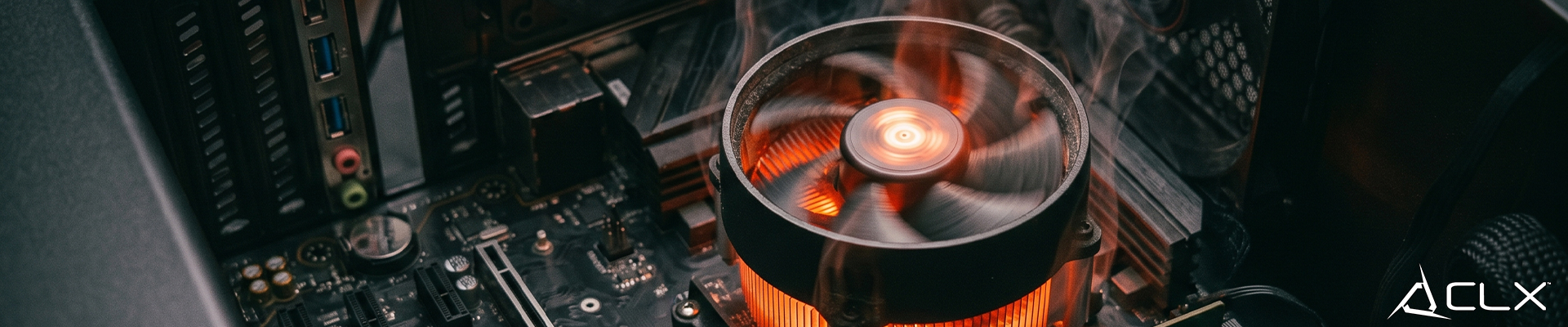
{"meta":{"description":"Summer raises your room's ambient temperature. A hot room means the air pulling into your PC case is already warm."},"active":true,"show_in_home":true,"show_as_recent":false,"show_as_popular":false,"_id":"6a206636ded8f2d71b58baca","aid":"how-to-stop-pc-overheating-this-summer","title":"How to stop your PC from overheating this summer","sub_title":"Summer raises your room's ambient temperature. A hot room means the air pulling into your PC case is already warm.","sid":"pc-parts-benchmark","date":"06/03/2026","elements":[{"_id":"6a206636ded8f2d71b58bacb","id":"p0","sort_index":0,"type":"paragraph","content":"<p><br></p><p>Summer raises your room's ambient temperature. A hot room means the air pulling into your PC case is already warm. Modern chips output serious heat under load. If your cooling setup barely passed during winter, summer ambient temperatures could push your hardware straight into thermal throttling.</p><p><br data-mce-bogus='1'></p><p><br data-mce-bogus='1'></p><p><span style='font-size: 18pt; color: rgb(224, 42, 65);' data-mce-style='font-size: 18pt; color: #e02a41;'><strong>What are the signs of an overheating PC?</strong></span></p><p>Your PC will tell you when it is struggling. The most obvious sign is a sudden drop in performance.</p><p>When a CPU hits its maximum safe operating temperature, the motherboard aggressively drops the clock speed to prevent physical damage. This is called thermal throttling. In a game, thermal throttling looks like massive framerate drops and severe stuttering. If you normally get 120 FPS in your favorite game at 1440p and suddenly drop to 30 FPS during a firefight, check your temperatures.</p><p><br data-mce-bogus='1'></p><p>Loud fans are another symptom. Motherboards ramp up fan speeds based on temperature curves. If your case fans suddenly sound like a jet engine while sitting on the desktop, a component is possibly running too hot. Total system shutdowns are the final fail-safe. If your PC turns off instantly during heavy gaming, the power supply or CPU may have triggered an emergency thermal trip.</p><p><br data-mce-bogus='1'></p><p><br data-mce-bogus='1'></p><p><span style='font-size: 18pt;' data-mce-style='font-size: 18pt;'><strong><span style='color: rgb(224, 42, 65);' data-mce-style='color: #e02a41;'>How can I improve my PC airflow right now?</span></strong></span></p><p>Start with basic maintenance. Dust acts as an insulator on your heatsinks and blocks intake filters. Take your PC outside and use compressed air to blow out the radiators, graphics card fins, and case fans.</p><p><br data-mce-bogus='1'></p><p>Next, check your fan orientation. Airflow needs a clear path. Commonly front and bottom fans pull cold air in, while top and rear fans push hot air out. Having all fans set to exhaust creates negative pressure and chokes the system.</p><p><br data-mce-bogus='1'></p><p><br data-mce-bogus='1'></p><p><span style='color: rgb(224, 42, 65);' data-mce-style='color: #e02a41;'><strong><span style='font-size: 18pt;' data-mce-style='font-size: 18pt;'>When should I seek professional repair help?</span></strong></span></p><p>Software and compressed air cannot fix broken hardware. If you cleaned your case, fixed your fan curves, and your CPU still hits 90C while sitting on the Windows desktop, your cooler is likely dead.</p><p><br data-mce-bogus='1'></p><p>This usually means the pump inside your All-in-One (AIO) liquid cooler failed. Replacing a cooler or repasting a bare GPU die requires specific tools and a steady hand. If you do not feel comfortable removing the motherboard from the case to install a new cooler bracket, take the PC to a professional.</p><p><br data-mce-bogus='1'></p><p><br data-mce-bogus='1'></p><p><strong><span style='color: rgb(224, 42, 65); font-size: 18pt;' data-mce-style='color: #e02a41; font-size: 18pt;'>Keep your rig running cold</span></strong></p><p>Summer heat does not have to ruin your gaming sessions. Monitor your hardware and keep your filters clean. If your current case is a glass box with terrible airflow and you want a machine built specifically for peak thermal performance, check out our <a href='https://www.clxgaming.com/' data-mce-href='/'>CLX custom configurator</a>. You can select high-airflow mesh cases and custom liquid cooling loops designed to keep temperatures low year round.</p><p><br data-mce-bogus='1'></p><p><br data-mce-bogus='1'></p>"}],"big_image_path":"how-to-stop-pc-overheating-this-summer-big.jpg","mid_image_path":"how-to-stop-pc-overheating-this-summer-mid.jpg","small_image_path":"how-to-stop-pc-overheating-this-summer-small.jpg","created":"2026-06-03T17:36:54.103Z","updated":"2026-06-03T17:36:54.103Z","__v":0}