Total {{kit.components.memory.specs.capacity * kit.components.memory.qty}}GB - ({{kit.components.memory.qty}} x {{kit.components.memory.name}}) {{kit.components.memory.promo.text_a}}
CLX's workshop for crafting the elite, superior details defining the legendary CLX gaming systems. Refined customizations with bleeding-edge technology
CLX Quench: CPU Liquid Cooler Solutions: 120, 240, 360
CLX Forge: Professional CPU and GPU Overclocking Service
CLX Fluxx: Market Best Thermal Compound Application
CLX Temper: Custom Liquid Cooling Loops, soft and hardline
Get {{displayCurrency()}}{{displayNicePrice(100)[0]}}OFF Any Order over {{displayCurrency()}}{{displayNicePrice(1999)[0]}} with discount code BK2SCHOOLExpires in00:00:00
Get {{displayCurrency()}}{{displayNicePrice(200)[0]}}OFF Any Order over {{displayCurrency()}}{{displayNicePrice(3499)[0]}} with discount code BK2SCHOOLExpires in00:00:00
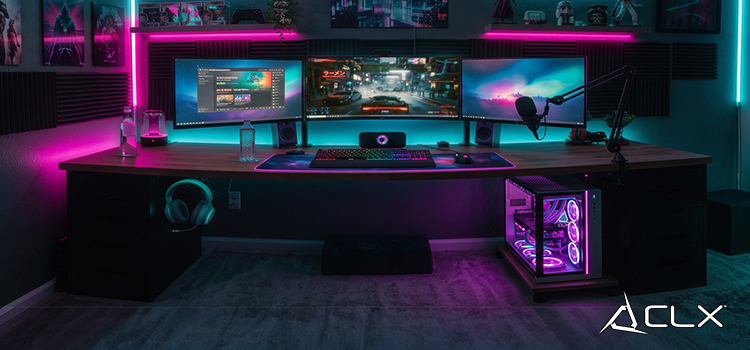
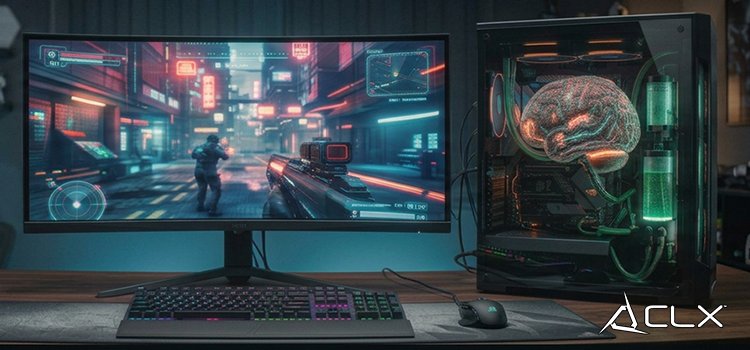
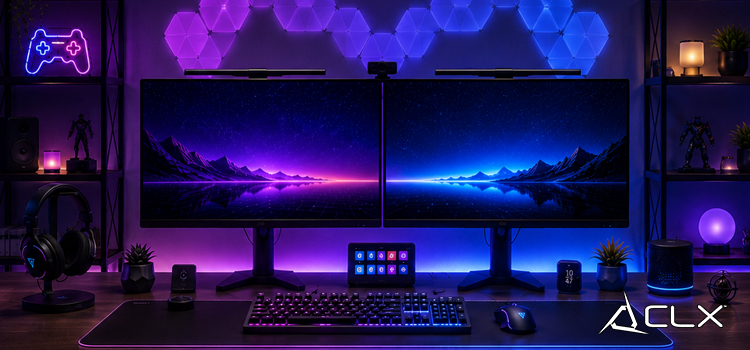
{"meta":{"description":"Dedicated gaming spaces have a reputation for being expensive. RGB everything, a $800 chair, a triple-monitor arm. But the room itself doesn't have to cost that much."},"active":true,"show_in_home":true,"show_as_recent":false,"show_as_popular":false,"_id":"6a567f40addfe8d4c4d41014","aid":"budget-gaming-room-setup-ideas-that-actually-work","title":"Budget Gaming Room Setup Ideas That Actually Work","sub_title":"Dedicated gaming spaces have a reputation for being expensive. RGB everything, a $800 chair, a triple-monitor arm. But the room itself doesn't have to cost that much.","sid":"pc-gaming-esports-news","date":"07/17/2026","elements":[{"_id":"6a567f40addfe8d4c4d41015","id":"p0","sort_index":0,"type":"paragraph","content":"<p><br></p><p><br data-mce-bogus='1'></p><p>Dedicated gaming spaces have a reputation for being expensive. RGB everything, a $800 chair, a triple-monitor arm. But the room itself doesn't have to cost that much. The gear sitting on the desk is where the real money goes. The setup around it? That's where you can be smart.</p><p><br data-mce-bogus='1'></p><p>Here's how to build a room you'll actually want to sit in, without draining your bank account before you've even bought a GPU.</p><p><br data-mce-bogus='1'></p><p><br data-mce-bogus='1'></p><p><span style='color: rgb(224, 42, 65); font-size: 18pt;' data-mce-style='color: #e02a41; font-size: 18pt;'><strong>What Furniture Should You Buy First for a Gaming Room?</strong></span></p><p>Start with three things: desk, chair, monitor. In that order.</p><p><br data-mce-bogus='1'></p><p>The desk sets your whole posture and workflow. You want something with enough surface area to run a monitor, keyboard, and mouse without crowding. A simple L-shaped or wide rectangular desk from a home goods store does the job. You don't need cable management built in. A few velcro straps handle that fine.</p><p><br data-mce-bogus='1'></p><p>The chair matters more than most people admit. Back pain after a four-hour session isn't a personality trait, it's a bad chair. Look for adjustable lumbar support and armrests. You don't need a 'gaming chair.' An ergonomic office chair at half the price often fits better and lasts longer.</p><p><br data-mce-bogus='1'></p><p>For the monitor, prioritize refresh rate over size. A 24-inch 144Hz display beats a 32-inch 60Hz panel for most PC gaming. Buy used if your budget is tight. Monitor panels don't degrade fast.</p><p><br data-mce-bogus='1'></p><p><br data-mce-bogus='1'></p><p><span style='color: rgb(224, 42, 65); font-size: 18pt;' data-mce-style='color: #e02a41; font-size: 18pt;'><strong>How Can You Set Up Gaming Room Lighting Without Spending Much?</strong></span></p><p>Bias lighting and LED strips do the heavy lifting here. A strip of LEDs behind the monitor cuts eye strain during long sessions and gives the room that ambient glow. A single kit can run between $15 and $30, and most are cuttable to fit any desk or wall edge.</p><p><br data-mce-bogus='1'></p><p>Avoid overhead lighting as your only source. It creates harsh glare on the monitor and makes the room feel more like a basement office than a gaming space. A small desk lamp with a warm bulb fixes that fast.</p><p><br data-mce-bogus='1'></p><p>Smart bulbs are worth it if you're already buying a lamp. Being able to shift from cool white to amber without getting up sounds minor. After a few weeks, you'll use it constantly.</p><p><br data-mce-bogus='1'></p><p><br data-mce-bogus='1'></p><p><span style='color: rgb(224, 42, 65); font-size: 18pt;' data-mce-style='color: #e02a41; font-size: 18pt;'><strong>What Are the Best Budget Storage Solutions for a Gaming Room?</strong></span></p><p>Wall space is free real estate. A few floating shelves above the desk give you room for controllers, headsets, and anything else that currently lives in a pile. Pegboards are even more flexible. You can mount hooks, small bins, and cable clips wherever they fit.</p><p><br data-mce-bogus='1'></p><p>For cables, a power strip with a long cord lets you route everything to one spot. Zip ties and adhesive cable clips keep the run clean. The goal is getting cables off the floor and out of sight. It takes 20 minutes and costs almost nothing.</p><p><br data-mce-bogus='1'></p><p><br data-mce-bogus='1'></p><p><span style='color: rgb(224, 42, 65); font-size: 18pt;' data-mce-style='color: #e02a41; font-size: 18pt;'><strong>How Do You Add Personal Style to a Gaming Room on a Budget?</strong></span></p><p>Posters, prints, and wall art are the fastest way to make a room feel like yours. A few well-placed pieces beat a wall covered in random merch. Pick a color theme and stick to it loosely. It doesn't have to be perfect, just intentional.</p><p><br data-mce-bogus='1'></p><p>A small plant on the desk is underrated. It breaks up all the hard surfaces and dark tones that tend to pile up in gaming rooms.</p><p><br data-mce-bogus='1'></p><p>Don't buy everything at once. Add one piece at a time. You'll end up with a room that actually reflects how you game rather than something that looks like a showroom floor.</p><p><br data-mce-bogus='1'></p><p><br data-mce-bogus='1'></p><p><span style='color: rgb(224, 42, 65); font-size: 18pt;' data-mce-style='color: #e02a41; font-size: 18pt;'><strong>Build the Room. Then Build the PC.</strong></span></p><p>Get the space right first. Once you know where everything sits, you'll have a clearer picture of what your PC actually needs to do. When you're ready to spec a build, the CLX configurator lets you dial in exactly what fits your games and your budget.</p><p><a href='https://www.clxgaming.com' data-mce-href='/'>Build your custom CLX gaming PC at CLXGaming.com</a><br data-mce-bogus='1'></p><p><br data-mce-bogus='1'></p><p><br data-mce-bogus='1'></p><p><br data-mce-bogus='1'></p>"}],"big_image_path":"budget-gaming-room-setup-ideas-that-actually-work-big.jpg","mid_image_path":"budget-gaming-room-setup-ideas-that-actually-work-mid.jpg","small_image_path":"budget-gaming-room-setup-ideas-that-actually-work-small.jpg","created":"2026-07-14T18:26:08.603Z","updated":"2026-07-14T18:26:08.603Z","__v":0}