---
title: "Why Gaming PCs Run Hotter Than You Think | CLX Gaming: Best PC Builder for Custom & Prebuilt Gaming PCs"
description: "A gaming PC needs heavy cooling because its CPU and GPU can each push past 250 to 300 watts of heat under load, and that heat has to leave the case fast or the parts throttle themselves to protect the silicon."
canonical_url: "https://www.clxgaming.com/blog/pc-parts-benchmark/why-gaming-pcs-run-hotter-than-you-think"
last_updated: "2026-11-02T17:51:37.459Z"
meta:
"og:description": "A gaming PC needs heavy cooling because its CPU and GPU can each push past 250 to 300 watts of heat under load, and that heat has to leave the case fast or the parts throttle themselves to protect the silicon."
"og:image": "https://static.cybertron.com/clx/blog/articles/pc-parts-benchmark/why-gaming-pcs-run-hotter-than-you-think/why-gaming-pcs-run-hotter-than-you-think-big.jpg"
"og:image:alt": "Why Gaming PCs Run Hotter Than You Think"
"og:title": "Why Gaming PCs Run Hotter Than You Think | CLX Gaming: Best PC Builder for Custom & Prebuilt Gaming PCs"
---
> Index of every page on this site: [llms.txt](https://www.clxgaming.com/llms.txt)
# Why Gaming PCs Run Hotter Than You Think
**CLXGAMING **11/02/2026
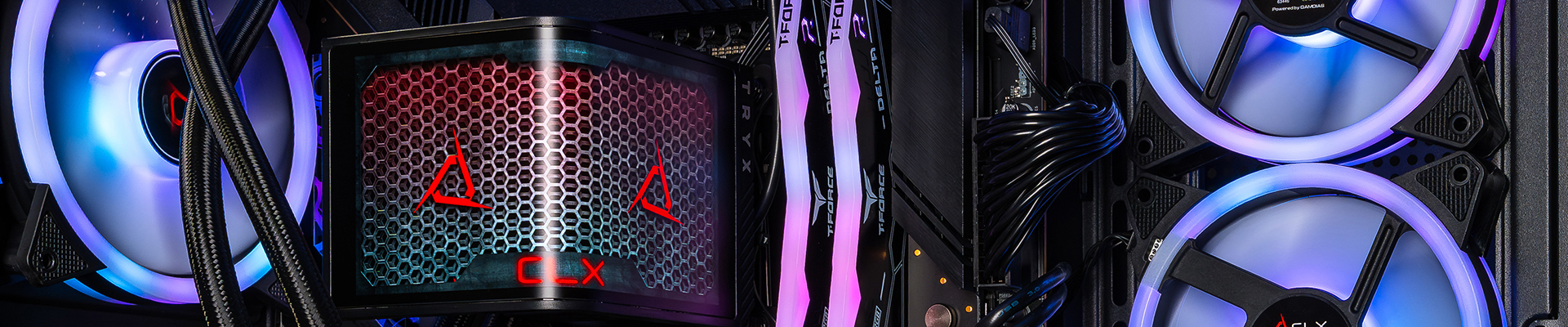
A gaming PC needs heavy cooling because its CPU and GPU can each push past 250 to 300 watts of heat under load, and that heat has to leave the case fast or the parts throttle themselves to protect the silicon. Cooling isn't an upgrade you bolt on later. It's part of the build from the first screw.
**What's actually generating all that heat?**
Two components do almost all the work: the CPU and the GPU. A current flagship CPU like an Intel Core Ulta or AMD Ryzen 9 can draw well over 150 watts under full load. Pair that with a flagship GPU like the NVIDIA RTX 5080, and you've got two components each capable of outputting more heat than a space heater on low. RAM and storage add a little, but the real heat load comes from the chips doing the math.
**Does more cooling actually mean more performance?**
Yes, up to a point. TDP (thermal design power) is the number a manufacturer rates a chip to sustain, not the peak it can pull under a sudden spike. When a CPU or GPU runs cooler, it holds its boost clocks longer instead of throttling down to stay within thermal limits. In a benchmark running at 1440p ultra settings, sustained frame rates dropped noticeably once the CPU hit its thermal ceiling. That's the gap between a system that's cooled correctly and one that isn't.
**Why do prebuilt PCs sometimes run hotter than custom builds?**
Case airflow, not just the cooler mounted on the CPU, decides whether heat actually leaves the box. A lot of mass-market prebuilts cram high-wattage parts into cases with limited intake and exhaust, which means the heat generated has nowhere to go. We've opened up competitor machines on the bench where the CPU cooler was rated correctly for the chip, but the case had two fans total and no front mesh. The chip throttled anyway, because the heat stayed trapped inside the case instead of exhausting out.
That's the piece people miss when they're pricing parts. A $120 CPU cooler doesn't matter if the case can't move air past it.
**What should you actually look for?**
Three things matter more than the cooler's price tag: case airflow (intake and exhaust fan count, front panel mesh vs. solid glass), cooler sizing matched to the chip's actual TDP, and case clearance for the GPU you're running. A 32GB dual-channel RAM kit doesn't generate meaningful heat on its own, so don't let RAM distract from the two components that do.
See the current builds and their tested cooling configs on the [CLX pre-builds](https://www.clxgaming.com/pre-built-gaming-pc).
**FAQ**
**Does a bigger CPU cooler always mean better performance?**
No. A cooler only helps if the case around it has enough airflow to exhaust the heat it's pulling off the chip.
**Can I just add more case fans to fix overheating?**
Sometimes, but fan count alone doesn't fix poor intake-to-exhaust airflow design. Check the case's actual air path, not just how many fans are installed.
**Do I need liquid cooling for a gaming PC?**
Only if you're running a high-TDP flagship CPU or want quieter operation under sustained load. Many builds run well on a properly sized air cooler.
## **Pc Parts Benchmark**
[**View all **](https://www.clxgaming.com/blog/pc-parts-benchmark)
[**CLXGAMING **10/30/2026**Why Does RAM Speed Matter? A Simple Breakdown**
](https://www.clxgaming.com/blog/pc-parts-benchmark/why-does-ram-speed-matter-a-simple-breakdown) [**CLXGAMING **10/20/2026**Standing Desk vs. Sitting Desk: Which Setup Wins?**
](https://www.clxgaming.com/blog/pc-parts-benchmark/standing-desk-vs-sitting-desk-which-setup-wins) [**CLXGAMING **10/23/2026**Why Your Game Looks Better on One PC Than Another**
](https://www.clxgaming.com/blog/pc-parts-benchmark/why-your-game-looks-better-on-one-pc-than-another)
```json
{"@context":"https://schema.org","@graph":[{"@id":"https://www.clxgaming.com/#website","@type":"WebSite","alternateName":"CLX","description":"CLX Gaming builds custom and prebuilt gaming PCs, laptops, and professional workstations for gamers, creators, and PC professionals.","inLanguage":"en-US","name":"CLX Gaming: Best PC Builder for Custom & Prebuilt Gaming PCs","url":"https://www.clxgaming.com/","publisher":{"@id":"https://www.clxgaming.com/#identity"}},{"@id":"https://www.clxgaming.com/blog/pc-parts-benchmark/why-gaming-pcs-run-hotter-than-you-think#webpage","@type":"WebPage","dateModified":"2026-11-02T17:51:37.459Z","datePublished":"2026-11-02T13:00:00.000Z","description":"A gaming PC needs heavy cooling because its CPU and GPU can each push past 250 to 300 watts of heat under load, and that heat has to leave the case fast or the parts throttle themselves to protect the silicon.","name":"Why Gaming PCs Run Hotter Than You Think","url":"https://www.clxgaming.com/blog/pc-parts-benchmark/why-gaming-pcs-run-hotter-than-you-think","breadcrumb":{"@id":"https://www.clxgaming.com/blog/pc-parts-benchmark/why-gaming-pcs-run-hotter-than-you-think#/schema/breadcrumb-list/#breadcrumb"},"isPartOf":{"@id":"https://www.clxgaming.com/#website"},"potentialAction":[{"@type":"ReadAction","target":["https://www.clxgaming.com/blog/pc-parts-benchmark/why-gaming-pcs-run-hotter-than-you-think"]}],"primaryImageOfPage":{"@id":"https://www.clxgaming.com/#logo"}},{"@id":"https://www.clxgaming.com/#identity","@type":"Organization","name":"CLX Gaming","telephone":"+1-855-490-2569","url":"https://www.clxgaming.com","address":{"@type":"PostalAddress","streetAddress":"4747 S Emporia St","addressLocality":"Wichita","addressRegion":"KS","postalCode":"67216","addressCountry":"US"},"contactPoint":[{"@type":"ContactPoint","telephone":"+1-855-490-2569","contactType":"customer service","contactOption":"TollFree","areaServed":"US","availableLanguage":"en"},{"@type":"ContactPoint","telephone":"+1-855-490-2569","contactType":"sales","contactOption":"TollFree","areaServed":"US","availableLanguage":"en"},{"@type":"ContactPoint","telephone":"+1-316-303-1022","contactType":"corporate","areaServed":"US","availableLanguage":"en"}],"hasMerchantReturnPolicy":{"@type":"MerchantReturnPolicy","applicableCountry":"US","returnPolicyCategory":"https://schema.org/MerchantReturnFiniteReturnWindow","merchantReturnDays":30,"returnMethod":"https://schema.org/ReturnByMail","restockingFee":15,"merchantReturnLink":"https://www.clxgaming.com/warranty"},"logo":{"@id":"https://www.clxgaming.com/#logo"},"sameAs":["https://www.facebook.com/clxgaming","https://x.com/clxgaming","https://www.youtube.com/clxgaming","https://www.twitch.tv/clxgamingtv/","https://www.pinterest.com/CLXGaming/","https://www.instagram.com/clxgaming"]},{"@id":"https://www.clxgaming.com/blog/pc-parts-benchmark/why-gaming-pcs-run-hotter-than-you-think#/schema/breadcrumb-list/#breadcrumb","@type":"BreadcrumbList","itemListElement":[{"@type":"ListItem","name":"Home","item":"https://www.clxgaming.com/","position":1},{"@type":"ListItem","name":"Blog","item":"https://www.clxgaming.com/blog","position":2},{"@type":"ListItem","name":"Pc Parts Benchmark","item":"https://www.clxgaming.com/blog/pc-parts-benchmark","position":3},{"@type":"ListItem","name":"Why Gaming PCs Run Hotter Than You Think","item":"https://www.clxgaming.com/blog/pc-parts-benchmark/why-gaming-pcs-run-hotter-than-you-think","position":4}]},{"@id":"https://www.clxgaming.com/blog/pc-parts-benchmark/why-gaming-pcs-run-hotter-than-you-think#article","dateModified":"2026-11-02T17:51:37.459Z","datePublished":"2026-11-02T13:00:00.000Z","description":"A gaming PC needs heavy cooling because its CPU and GPU can each push past 250 to 300 watts of heat under load, and that heat has to leave the case fast or the parts throttle themselves to protect the silicon.","headline":"Why Gaming PCs Run Hotter Than You Think","inLanguage":"en-US","thumbnailUrl":"https://static.cybertron.com/clx/blog/articles/pc-parts-benchmark/why-gaming-pcs-run-hotter-than-you-think/why-gaming-pcs-run-hotter-than-you-think-small.jpg","@type":["Article","BlogPosting"],"articleSection":["Pc Parts Benchmark"],"author":{"@id":"https://www.clxgaming.com/#identity"},"image":["https://static.cybertron.com/clx/blog/articles/pc-parts-benchmark/why-gaming-pcs-run-hotter-than-you-think/why-gaming-pcs-run-hotter-than-you-think-big.jpg","https://static.cybertron.com/clx/blog/articles/pc-parts-benchmark/why-gaming-pcs-run-hotter-than-you-think/why-gaming-pcs-run-hotter-than-you-think-mid.jpg","https://static.cybertron.com/clx/blog/articles/pc-parts-benchmark/why-gaming-pcs-run-hotter-than-you-think/why-gaming-pcs-run-hotter-than-you-think-small.jpg"],"isPartOf":{"@id":"https://www.clxgaming.com/blog/pc-parts-benchmark/why-gaming-pcs-run-hotter-than-you-think#webpage"},"keywords":[],"mainEntityOfPage":{"@id":"https://www.clxgaming.com/blog/pc-parts-benchmark/why-gaming-pcs-run-hotter-than-you-think#webpage"},"publisher":{"@id":"https://www.clxgaming.com/#identity"}},{"@id":"https://www.clxgaming.com/#logo","@type":"ImageObject","caption":"CLX Gaming","contentUrl":"https://static.cybertron.com/clx/footer/clx-footer-icon-red.png","inLanguage":"en-US","url":"https://static.cybertron.com/clx/footer/clx-footer-icon-red.png"}]}
```
## Sitemap
See the full [sitemap](https://www.clxgaming.com/sitemap.md) for all pages.