---
title: "Essential PC Specs for Smooth Live Streaming Performance | CLX Gaming: Best PC Builder for Custom & Prebuilt Gaming PCs"
description: "Live streaming has rapidly evolved into a central pillar of gaming and content creation, connecting millions of enthusiastic viewers worldwide."
canonical_url: "https://www.clxgaming.com/blog/pc-parts-benchmark/live-streaming-pc-specs-performance-guide"
last_updated: "2025-12-01T10:15:56.803Z"
meta:
"og:description": "Live streaming has rapidly evolved into a central pillar of gaming and content creation, connecting millions of enthusiastic viewers worldwide."
"og:image": "https://static.cybertron.com/clx-v2/blog/articles/pc-parts-benchmark/live-streaming-pc-specs-performance-guide/live-streaming-pc-specs-performance-guide-big.webp"
"og:image:alt": "Essential PC Specs for Smooth Live Streaming Performance"
"og:title": "Essential PC Specs for Smooth Live Streaming Performance | CLX Gaming: Best PC Builder for Custom & Prebuilt Gaming PCs"
---
> Index of every page on this site: [llms.txt](https://www.clxgaming.com/llms.txt)
# Essential PC Specs for Smooth Live Streaming Performance
**CLXGAMING **09/22/2025
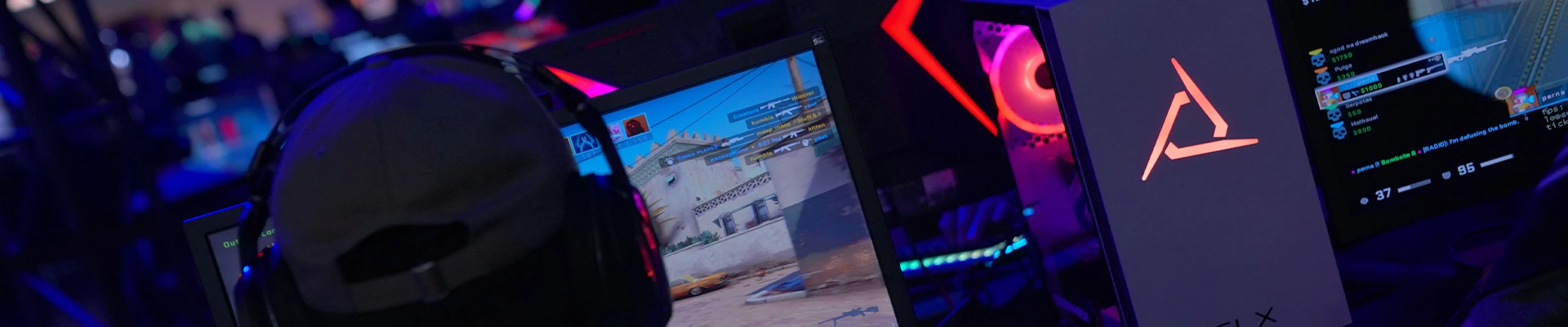
Live streaming has rapidly evolved into a central pillar of gaming and content creation, connecting millions of enthusiastic viewers worldwide. Consistent, professional streams aren’t just about entertainment—your PC performance is central to your reputation and potential for monetization.
A poorly equipped system results in dropped frames, lag, and viewer frustration—issues that can derail your channel’s growth. To prevent this, every serious streamer must ensure their setup can deliver flawless performance, session after session.
**Core Components That Make or Break Your Stream**
**CPU: The Streaming Workhorse**
Your processor is responsible for encoding your stream and maintaining seamless gameplay. For a smooth experience, choose a [multi-core CPU](https://www.techtarget.com/searchdatacenter/definition/multi-core-processor#:~:text=A%20multicore%20processor%20is%20an,connection%20between%20them%20is%20faster.) with high clock speeds—these specifications eliminate performance bottlenecks, letting you encode video efficiently while running demanding titles. If you settle for less, expect choppy output and frequent slowdowns that will quickly cost you viewers and credibility.
**GPU: Driving Visual Performance**
A [high-performance graphics card](https://www.tomshardware.com/reviews/best-gpus,4380.html) ensures smooth rendering and enables hardware encoding, reducing the load on your processor. Look for modern GPUs with specialized encoding technology that offloads video processing—this combination delivers superior stream quality and ensures your game runs as intended. Underpowered graphics mean lower resolution, stuttering visuals, and an unprofessional look that drives your audience elsewhere.
**RAM: Supporting Seamless Multitasking**
You need, at minimum, 16GB of [high-speed memory](https://www.tomshardware.com/reviews/pc-memory-ram-frequency-timings,6328.html) to run modern games and streaming software in parallel. For those looking to multitask—running overlays, chat bots, multiple monitors, and browsers—32GB is a smarter investment. Insufficient memory results in slowdowns, delayed scene switches, and missed opportunities when engagement matters most.
**Additional Hardware for Professional Results**
**SSD: Eliminate Storage Bottlenecks**
Speed matters. [Solid State Drives](https://www.seagate.com/blog/types-of-ssd-sata-nvme-m2-u2-and-pcie/) all but eliminate loading screens and give your stream an edge: fast launches, instant scene transitions, and responsive software. A high-capacity SSD ensures you have space for games and recordings, and your audience won’t be left waiting as you fumble past outdated hard drive limitations.
**Cooling: Safeguard Your Performance**
Consistent cooling is critical—both CPU and GPU temperatures spike during high-intensity streaming. Equip your build with a robust air or liquid cooling solution and maintain optimal airflow within your case. Insufficient cooling leads to throttling, lost frames, and even hardware damage over time. Protect your investment, and your stream, with a properly cooled system.
**Software That Maximizes Your Hardware**
**Streaming Software**
Select professional-grade streaming software with efficient hardware utilization and expansive customization features. Advanced applications allow you to leverage your PC’s encoding strengths and tailor your stream to your personal brand. User-friendly options are also available, prioritizing quick setup and reliability—either way, fine-tuning your settings is non-negotiable for top-tier results.
**Operating System**
Choose an operating system known for compatibility and stability with streaming tools, drivers, and modern games. Regular updates and broad support for peripherals are essential for streamers looking to minimize technical hiccups and maximize performance.
**Build Your Streaming Empire on Solid Foundations**
Your PC is the heartbeat of your channel. Dropped frames, interruptions, and audio glitches all signal to viewers that you’re not ready for the big leagues— don’t let hardware setbacks cost you loyal fans. Investing in quality equipment isn’t an option; it’s a requirement for anyone serious about streaming.
Equip your system with robust, modern components and your channel runs as it should: smooth gameplay, crisp visuals, and zero technical distractions. The right specifications empower you to focus on what matters—growing your audience and establishing your presence in the streaming world.
Push your setup to meet these standards, and give yourself the competitive edge needed to lead in the streaming space. Ready to deliver a world-class viewing experience? Make the upgrade—your next breakthrough starts with a single power-up.
**About Us**
CLX is a [PC builder](https://www.clxgaming.com/) based in Wichita, KS that builds [prebuilt PCs](https://www.clxgaming.com/pre-built-gaming-pc), [custom PCs](https://www.clxgaming.com/gaming-pc) and [laptops](https://www.clxgaming.com/gaming-laptops) for all of your gaming and creative needs. We work with any budget and offer flexible gaming [PC financing](https://www.clxgaming.com/financing).
If you would like more information about our PCs, please contact our customer support team at (855) 490-2569 or cs@clxgaming.com. We pride ourselves on our excellent customer service and are happy to assist with your needs.
## **Pc Parts Benchmark**
[**View all **](https://www.clxgaming.com/blog/pc-parts-benchmark)
[**CLXGAMING **11/11/2026**When Should You Actually Upgrade Your GPU?**
](https://www.clxgaming.com/blog/pc-parts-benchmark/when-should-you-actually-upgrade-your-gpu) [**CLXGAMING **11/04/2026**How Often Should You Clean Your Gaming PC?**
](https://www.clxgaming.com/blog/pc-parts-benchmark/how-often-should-you-clean-your-gaming-pc) [**CLXGAMING **11/02/2026**Why Gaming PCs Run Hotter Than You Think**
](https://www.clxgaming.com/blog/pc-parts-benchmark/why-gaming-pcs-run-hotter-than-you-think)
```json
{"@context":"https://schema.org","@graph":[{"@id":"https://www.clxgaming.com/#website","@type":"WebSite","alternateName":"CLX","description":"CLX Gaming builds custom and prebuilt gaming PCs, laptops, and professional workstations for gamers, creators, and PC professionals.","inLanguage":"en-US","name":"CLX Gaming: Best PC Builder for Custom & Prebuilt Gaming PCs","url":"https://www.clxgaming.com/","publisher":{"@id":"https://www.clxgaming.com/#identity"}},{"@id":"https://www.clxgaming.com/blog/pc-parts-benchmark/live-streaming-pc-specs-performance-guide#webpage","@type":"WebPage","dateModified":"2025-12-01T10:15:56.803Z","datePublished":"2025-09-22T16:00:00.000Z","description":"Live streaming has rapidly evolved into a central pillar of gaming and content creation, connecting millions of enthusiastic viewers worldwide.","name":"Essential PC Specs for Smooth Live Streaming Performance","url":"https://www.clxgaming.com/blog/pc-parts-benchmark/live-streaming-pc-specs-performance-guide","breadcrumb":{"@id":"https://www.clxgaming.com/blog/pc-parts-benchmark/live-streaming-pc-specs-performance-guide#/schema/breadcrumb-list/#breadcrumb"},"isPartOf":{"@id":"https://www.clxgaming.com/#website"},"potentialAction":[{"@type":"ReadAction","target":["https://www.clxgaming.com/blog/pc-parts-benchmark/live-streaming-pc-specs-performance-guide"]}],"primaryImageOfPage":{"@id":"https://www.clxgaming.com/#logo"}},{"@id":"https://www.clxgaming.com/#identity","@type":"Organization","name":"CLX Gaming","telephone":"+1-855-490-2569","url":"https://www.clxgaming.com","address":{"@type":"PostalAddress","streetAddress":"4747 S Emporia St","addressLocality":"Wichita","addressRegion":"KS","postalCode":"67216","addressCountry":"US"},"contactPoint":[{"@type":"ContactPoint","telephone":"+1-855-490-2569","contactType":"customer service","contactOption":"TollFree","areaServed":"US","availableLanguage":"en"},{"@type":"ContactPoint","telephone":"+1-855-490-2569","contactType":"sales","contactOption":"TollFree","areaServed":"US","availableLanguage":"en"},{"@type":"ContactPoint","telephone":"+1-316-303-1022","contactType":"corporate","areaServed":"US","availableLanguage":"en"}],"hasMerchantReturnPolicy":{"@type":"MerchantReturnPolicy","applicableCountry":"US","returnPolicyCategory":"https://schema.org/MerchantReturnFiniteReturnWindow","merchantReturnDays":30,"returnMethod":"https://schema.org/ReturnByMail","restockingFee":15,"merchantReturnLink":"https://www.clxgaming.com/warranty"},"logo":{"@id":"https://www.clxgaming.com/#logo"},"sameAs":["https://www.facebook.com/clxgaming","https://x.com/clxgaming","https://www.youtube.com/clxgaming","https://www.twitch.tv/clxgamingtv/","https://www.pinterest.com/CLXGaming/","https://www.instagram.com/clxgaming"]},{"@id":"https://www.clxgaming.com/blog/pc-parts-benchmark/live-streaming-pc-specs-performance-guide#/schema/breadcrumb-list/#breadcrumb","@type":"BreadcrumbList","itemListElement":[{"@type":"ListItem","name":"Home","item":"https://www.clxgaming.com/","position":1},{"@type":"ListItem","name":"Blog","item":"https://www.clxgaming.com/blog","position":2},{"@type":"ListItem","name":"Pc Parts Benchmark","item":"https://www.clxgaming.com/blog/pc-parts-benchmark","position":3},{"@type":"ListItem","name":"Essential PC Specs for Smooth Live Streaming Performance","item":"https://www.clxgaming.com/blog/pc-parts-benchmark/live-streaming-pc-specs-performance-guide","position":4}]},{"@id":"https://www.clxgaming.com/blog/pc-parts-benchmark/live-streaming-pc-specs-performance-guide#article","dateModified":"2025-12-01T10:15:56.803Z","datePublished":"2025-09-22T16:00:00.000Z","description":"Live streaming has rapidly evolved into a central pillar of gaming and content creation, connecting millions of enthusiastic viewers worldwide.","headline":"Essential PC Specs for Smooth Live Streaming Performance","inLanguage":"en-US","thumbnailUrl":"https://static.cybertron.com/clx-v2/blog/articles/pc-parts-benchmark/live-streaming-pc-specs-performance-guide/live-streaming-pc-specs-performance-guide-small.webp","@type":["Article","BlogPosting"],"articleSection":["Pc Parts Benchmark"],"author":{"@id":"https://www.clxgaming.com/#identity"},"image":["https://static.cybertron.com/clx-v2/blog/articles/pc-parts-benchmark/live-streaming-pc-specs-performance-guide/live-streaming-pc-specs-performance-guide-big.webp","https://static.cybertron.com/clx-v2/blog/articles/pc-parts-benchmark/live-streaming-pc-specs-performance-guide/live-streaming-pc-specs-performance-guide-mid.webp","https://static.cybertron.com/clx-v2/blog/articles/pc-parts-benchmark/live-streaming-pc-specs-performance-guide/live-streaming-pc-specs-performance-guide-small.webp"],"isPartOf":{"@id":"https://www.clxgaming.com/blog/pc-parts-benchmark/live-streaming-pc-specs-performance-guide#webpage"},"keywords":[],"mainEntityOfPage":{"@id":"https://www.clxgaming.com/blog/pc-parts-benchmark/live-streaming-pc-specs-performance-guide#webpage"},"publisher":{"@id":"https://www.clxgaming.com/#identity"}},{"@id":"https://www.clxgaming.com/#logo","@type":"ImageObject","caption":"CLX Gaming","contentUrl":"https://static.cybertron.com/clx-v2/footer/clx-footer-icon-red.webp","inLanguage":"en-US","url":"https://static.cybertron.com/clx-v2/footer/clx-footer-icon-red.webp"}]}
```
## Sitemap
See the full [sitemap](https://www.clxgaming.com/sitemap.md) for all pages.