---
title: "Can You Have Too Much FPS? | CLX Gaming: Best PC Builder for Custom & Prebuilt Gaming PCs"
description: "Quick answer: Yes, past a certain point more frames stop making a real difference. Once your frame rate matches or exceeds your monitor's refresh rate, extra FPS mostly burns hardware and money without a payoff you'll notice."
canonical_url: "https://www.clxgaming.com/blog/pc-parts-benchmark/can-you-have-too-much-fps"
last_updated: "2026-11-24T15:01:50.525Z"
meta:
"og:description": "Quick answer: Yes, past a certain point more frames stop making a real difference. Once your frame rate matches or exceeds your monitor's refresh rate, extra FPS mostly burns hardware and money without a payoff you'll notice."
"og:image": "https://static.cybertron.com/clx-v2/blog/articles/pc-parts-benchmark/can-you-have-too-much-fps/can-you-have-too-much-fps-big.webp"
"og:image:alt": "Can You Have Too Much FPS"
"og:title": "Can You Have Too Much FPS? | CLX Gaming: Best PC Builder for Custom & Prebuilt Gaming PCs"
---
> Index of every page on this site: [llms.txt](https://www.clxgaming.com/llms.txt)
# Can You Have Too Much FPS?
**CLXGAMING **11/23/2026
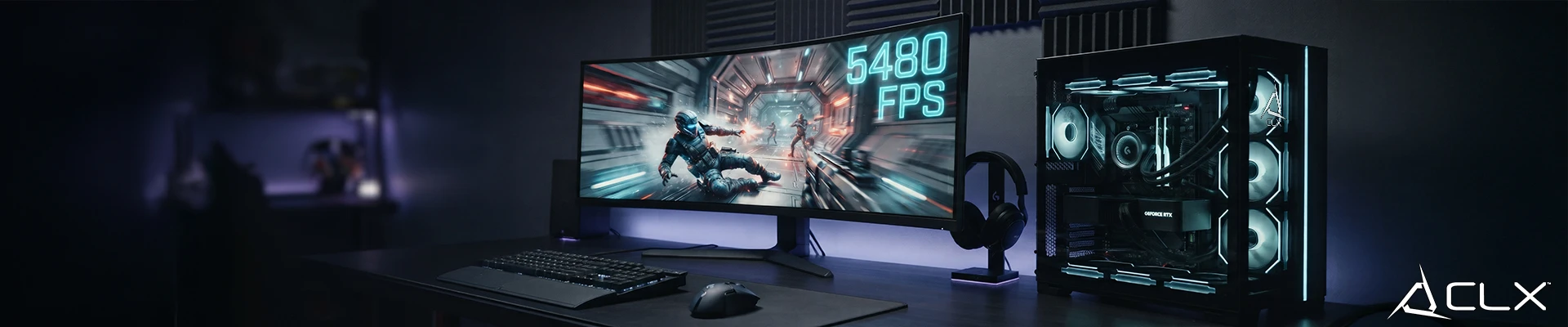
**Quick answer:** Yes, past a certain point more frames stop making a real difference. Once your frame rate matches or exceeds your monitor's refresh rate, extra FPS mostly burns hardware and money without a payoff you'll notice.
FPS, or frames per second, measures how many images your PC draws on screen every second. Gamers obsess over it because higher FPS usually means smoother motion and quicker visual feedback, which matters a lot in fast-paced games. But "more is better" only holds up to a point. After that, you're chasing numbers your eyes and your monitor can't even use.
**What's the FPS sweet spot for most gamers?**
For casual and story-driven games, 60 FPS still feels smooth to most players. It's been the benchmark for console and PC gaming for years, and it holds up well for single-player titles where split-second reactions aren't the whole game.
Competitive gamers tend to want more. In fast shooters and other reflex-heavy genres, many players prefer 120 FPS or higher because it can shave meaningful time off visual response. The catch is that your monitor has to keep up. A 60Hz display can only show 60 frames a second no matter how many your GPU produces. If your PC is pushing 200 FPS but your monitor refreshes at 60Hz, you're not seeing most of that extra work. Your refresh rate sets the ceiling, not your graphics card.
**When do extra frames stop making a difference?**
There's a point where the human eye simply stops picking up the difference between, say, 150 FPS and 200 FPS. The jump from 30 to 60 FPS is obvious to almost anyone. The jump from 150 to 200 is subtle, and plenty of players can't tell the difference in a blind test.
Chasing those extra frames gets expensive fast. Pushing FPS higher usually means a more powerful graphics card, sometimes a faster processor too, and that cost climbs steeply the closer you get to the top end. At some point you're paying a lot of money for frames your monitor can't display or your eyes can't register.
How much this matters also depends on what you're playing. A fast online shooter rewards high FPS because quick, precise reactions decide matches. A slower-paced story game or strategy title won't feel meaningfully different at 240 FPS versus 100 FPS, since the gameplay itself doesn't demand split-second timing.
**How should I balance FPS with the rest of my setup?**
Think about what you actually play before chasing a frame rate number. Competitive shooters and twitch-reflex games benefit the most from high FPS, so it's worth prioritizing there. Slower, narrative-focused games don't need it nearly as much, and the money is often better spent elsewhere in the build.
Match your frame rate goal to your monitor's refresh rate. There's little point building a PC that can push 240 FPS if your display tops out at 144Hz. Pair the two so neither is wasted.
A balanced setup, one where your GPU, CPU, and monitor all work together instead of one component massively outpacing the others, usually delivers a better experience than a system built around chasing the highest FPS number possible.
Plenty of customers come in asking for "the highest FPS possible" without mentioning what they actually play or what monitor they own. Once we talk through their games and their display, the right build usually looks a lot more modest, and a lot more affordable, than what they walked in asking for.
**Find your balance, not the biggest number**
There's no single FPS target that's right for everyone. The right number depends on what games you play, what monitor you're using, and what you're willing to spend. Rather than chasing the highest FPS count you can find, aim for a setup where your frame rate, refresh rate, and budget all line up.
If you want help figuring out what balance makes sense for your games and budget, check out the [CLX build configurator](https://www.clxgaming.com/gaming-pc) to see options built around real-world use, not just spec sheet bragging rights.
**FAQ**
**Does higher FPS always mean a smoother gaming experience?**
Only up to the limit of your monitor's refresh rate. Once your FPS matches or exceeds that number, additional frames don't add noticeable smoothness.
**Is 60 FPS still good enough for gaming in 2026?**
For casual and story-driven games, yes. It's competitive and fast-paced genres where higher frame rates make a bigger practical difference.
**Should I upgrade my GPU or my monitor first for better FPS?**
Check which one is holding you back. A high-FPS graphics card paired with a 60Hz monitor wastes potential, just as a high-refresh monitor paired with a weak GPU won't hit its target frame rate.
## **Pc Parts Benchmark**
[**View all **](https://www.clxgaming.com/blog/pc-parts-benchmark)
[**CLXGAMING **11/04/2026**How Often Should You Clean Your Gaming PC?**
](https://www.clxgaming.com/blog/pc-parts-benchmark/how-often-should-you-clean-your-gaming-pc) [**CLXGAMING **10/30/2026**Why Does RAM Speed Matter? A Simple Breakdown**
](https://www.clxgaming.com/blog/pc-parts-benchmark/why-does-ram-speed-matter-a-simple-breakdown) [**CLXGAMING **10/26/2026**DLSS, FSR, XeSS, and Frame Gen: What They Actually Do**
](https://www.clxgaming.com/blog/pc-parts-benchmark/dlss-fsr-xess-and-frame-gen-what-they-actually-do)
```json
{"@context":"https://schema.org","@graph":[{"@id":"https://www.clxgaming.com/#website","@type":"WebSite","alternateName":"CLX","description":"CLX Gaming builds custom and prebuilt gaming PCs, laptops, and professional workstations for gamers, creators, and PC professionals.","inLanguage":"en-US","name":"CLX Gaming: Best PC Builder for Custom & Prebuilt Gaming PCs","url":"https://www.clxgaming.com/","publisher":{"@id":"https://www.clxgaming.com/#identity"}},{"@id":"https://www.clxgaming.com/blog/pc-parts-benchmark/can-you-have-too-much-fps#webpage","@type":"WebPage","dateModified":"2026-11-24T15:01:50.525Z","datePublished":"2026-11-23T15:00:00.000Z","description":"Quick answer: Yes, past a certain point more frames stop making a real difference. Once your frame rate matches or exceeds your monitor's refresh rate, extra FPS mostly burns hardware and money without a payoff you'll notice.","name":"Can You Have Too Much FPS?","url":"https://www.clxgaming.com/blog/pc-parts-benchmark/can-you-have-too-much-fps","breadcrumb":{"@id":"https://www.clxgaming.com/blog/pc-parts-benchmark/can-you-have-too-much-fps#/schema/breadcrumb-list/#breadcrumb"},"isPartOf":{"@id":"https://www.clxgaming.com/#website"},"potentialAction":[{"@type":"ReadAction","target":["https://www.clxgaming.com/blog/pc-parts-benchmark/can-you-have-too-much-fps"]}],"primaryImageOfPage":{"@id":"https://www.clxgaming.com/#logo"}},{"@id":"https://www.clxgaming.com/#identity","@type":"Organization","name":"CLX Gaming","telephone":"+1-855-490-2569","url":"https://www.clxgaming.com","address":{"@type":"PostalAddress","streetAddress":"4747 S Emporia St","addressLocality":"Wichita","addressRegion":"KS","postalCode":"67216","addressCountry":"US"},"contactPoint":[{"@type":"ContactPoint","telephone":"+1-855-490-2569","contactType":"customer service","contactOption":"TollFree","areaServed":"US","availableLanguage":"en"},{"@type":"ContactPoint","telephone":"+1-855-490-2569","contactType":"sales","contactOption":"TollFree","areaServed":"US","availableLanguage":"en"},{"@type":"ContactPoint","telephone":"+1-316-303-1022","contactType":"corporate","areaServed":"US","availableLanguage":"en"}],"hasMerchantReturnPolicy":{"@type":"MerchantReturnPolicy","applicableCountry":"US","returnPolicyCategory":"https://schema.org/MerchantReturnFiniteReturnWindow","merchantReturnDays":30,"returnMethod":"https://schema.org/ReturnByMail","restockingFee":15,"merchantReturnLink":"https://www.clxgaming.com/warranty"},"logo":{"@id":"https://www.clxgaming.com/#logo"},"sameAs":["https://www.facebook.com/clxgaming","https://x.com/clxgaming","https://www.youtube.com/clxgaming","https://www.twitch.tv/clxgamingtv/","https://www.pinterest.com/CLXGaming/","https://www.instagram.com/clxgaming"]},{"@id":"https://www.clxgaming.com/blog/pc-parts-benchmark/can-you-have-too-much-fps#/schema/breadcrumb-list/#breadcrumb","@type":"BreadcrumbList","itemListElement":[{"@type":"ListItem","name":"Home","item":"https://www.clxgaming.com/","position":1},{"@type":"ListItem","name":"Blog","item":"https://www.clxgaming.com/blog","position":2},{"@type":"ListItem","name":"Pc Parts Benchmark","item":"https://www.clxgaming.com/blog/pc-parts-benchmark","position":3},{"@type":"ListItem","name":"Can You Have Too Much FPS?","item":"https://www.clxgaming.com/blog/pc-parts-benchmark/can-you-have-too-much-fps","position":4}]},{"@id":"https://www.clxgaming.com/blog/pc-parts-benchmark/can-you-have-too-much-fps#article","dateModified":"2026-11-24T15:01:50.525Z","datePublished":"2026-11-23T15:00:00.000Z","description":"Quick answer: Yes, past a certain point more frames stop making a real difference. Once your frame rate matches or exceeds your monitor's refresh rate, extra FPS mostly burns hardware and money without a payoff you'll notice.","headline":"Can You Have Too Much FPS?","inLanguage":"en-US","thumbnailUrl":"https://static.cybertron.com/clx-v2/blog/articles/pc-parts-benchmark/can-you-have-too-much-fps/can-you-have-too-much-fps-small.webp","@type":["Article","BlogPosting"],"articleSection":["Pc Parts Benchmark"],"author":{"@id":"https://www.clxgaming.com/#identity"},"image":["https://static.cybertron.com/clx-v2/blog/articles/pc-parts-benchmark/can-you-have-too-much-fps/can-you-have-too-much-fps-big.webp","https://static.cybertron.com/clx-v2/blog/articles/pc-parts-benchmark/can-you-have-too-much-fps/can-you-have-too-much-fps-mid.webp","https://static.cybertron.com/clx-v2/blog/articles/pc-parts-benchmark/can-you-have-too-much-fps/can-you-have-too-much-fps-small.webp"],"isPartOf":{"@id":"https://www.clxgaming.com/blog/pc-parts-benchmark/can-you-have-too-much-fps#webpage"},"keywords":[],"mainEntityOfPage":{"@id":"https://www.clxgaming.com/blog/pc-parts-benchmark/can-you-have-too-much-fps#webpage"},"publisher":{"@id":"https://www.clxgaming.com/#identity"}},{"@id":"https://www.clxgaming.com/#logo","@type":"ImageObject","caption":"CLX Gaming","contentUrl":"https://static.cybertron.com/clx-v2/footer/clx-footer-icon-red.webp","inLanguage":"en-US","url":"https://static.cybertron.com/clx-v2/footer/clx-footer-icon-red.webp"}]}
```
## Sitemap
See the full [sitemap](https://www.clxgaming.com/sitemap.md) for all pages.